

Arboria
An AI-native ML research workflow that wraps the compute layer. State lives in a ledger, the notebook is yours, Claude writes the code and commands, and you approve every cluster run in your own terminal.
Seeds
From a seed to an experiment
An idea with no repo yet is a seed, with its own marimo notebook in ~/arboria. When it is ready, arb seed plant turns it into an idea in a repo — a branch, a worktree and a notebook that starts with the seed’s notes.
Seeds (Chinese) →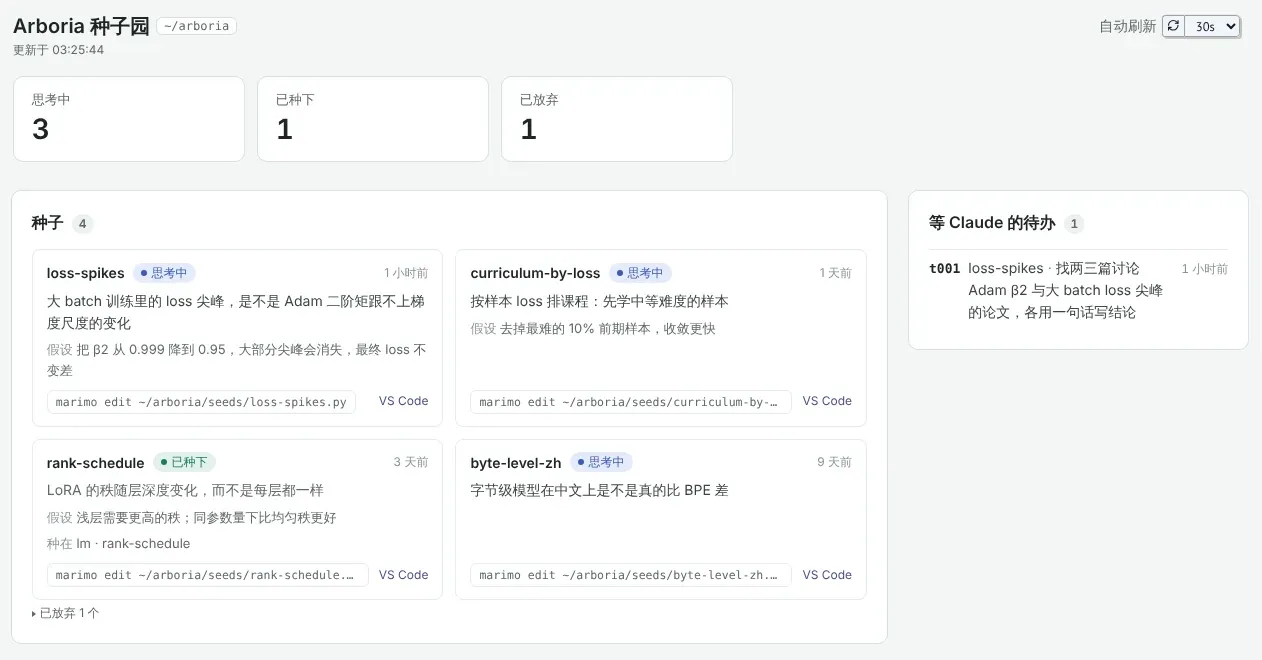
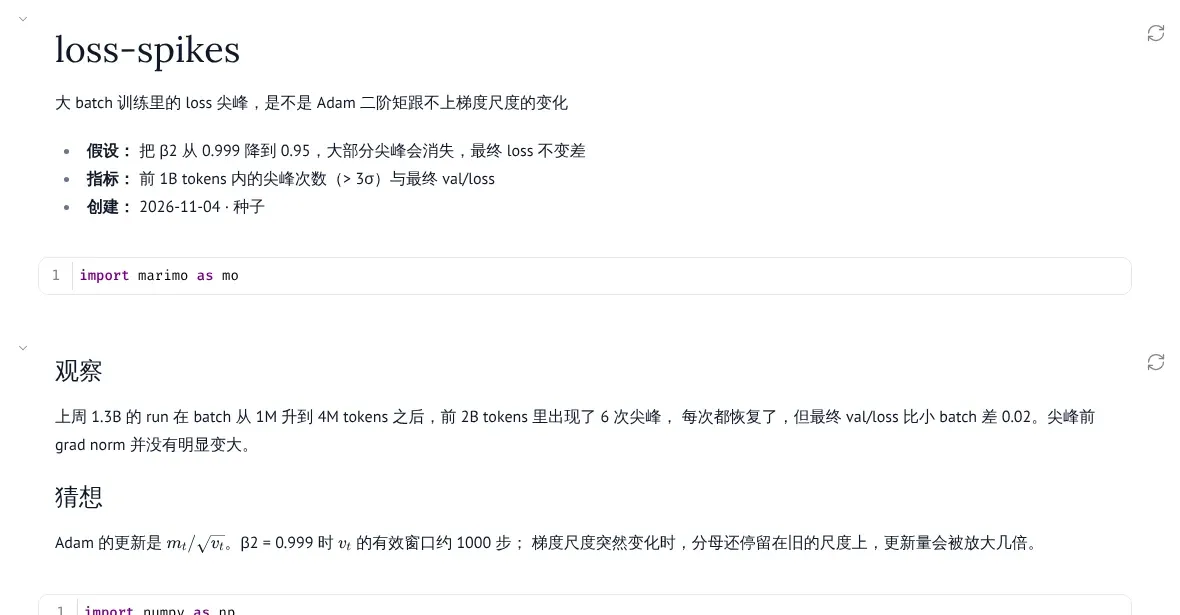
Notebook
The notebook is the bench
Each idea has one notebook, and only you write it. lab.run creates a review card; results and curves come back to the same page. Analysis commands are written by Claude once, saved as functions, and then run without spending tokens.
Notebook and lab (Chinese) →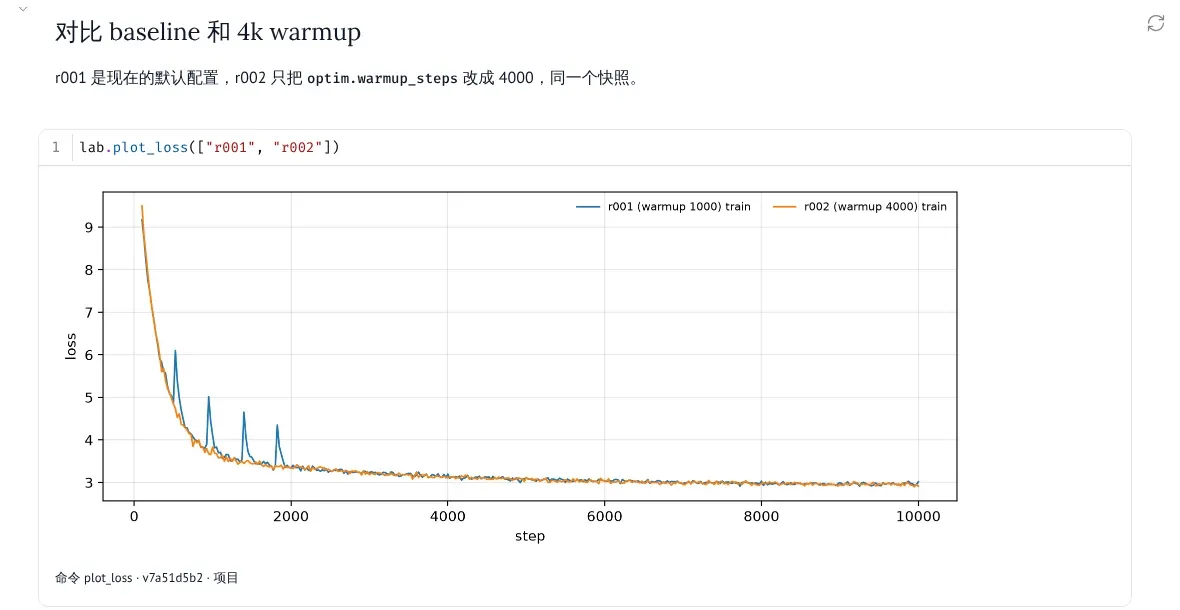
Dashboard
Everything at a glance
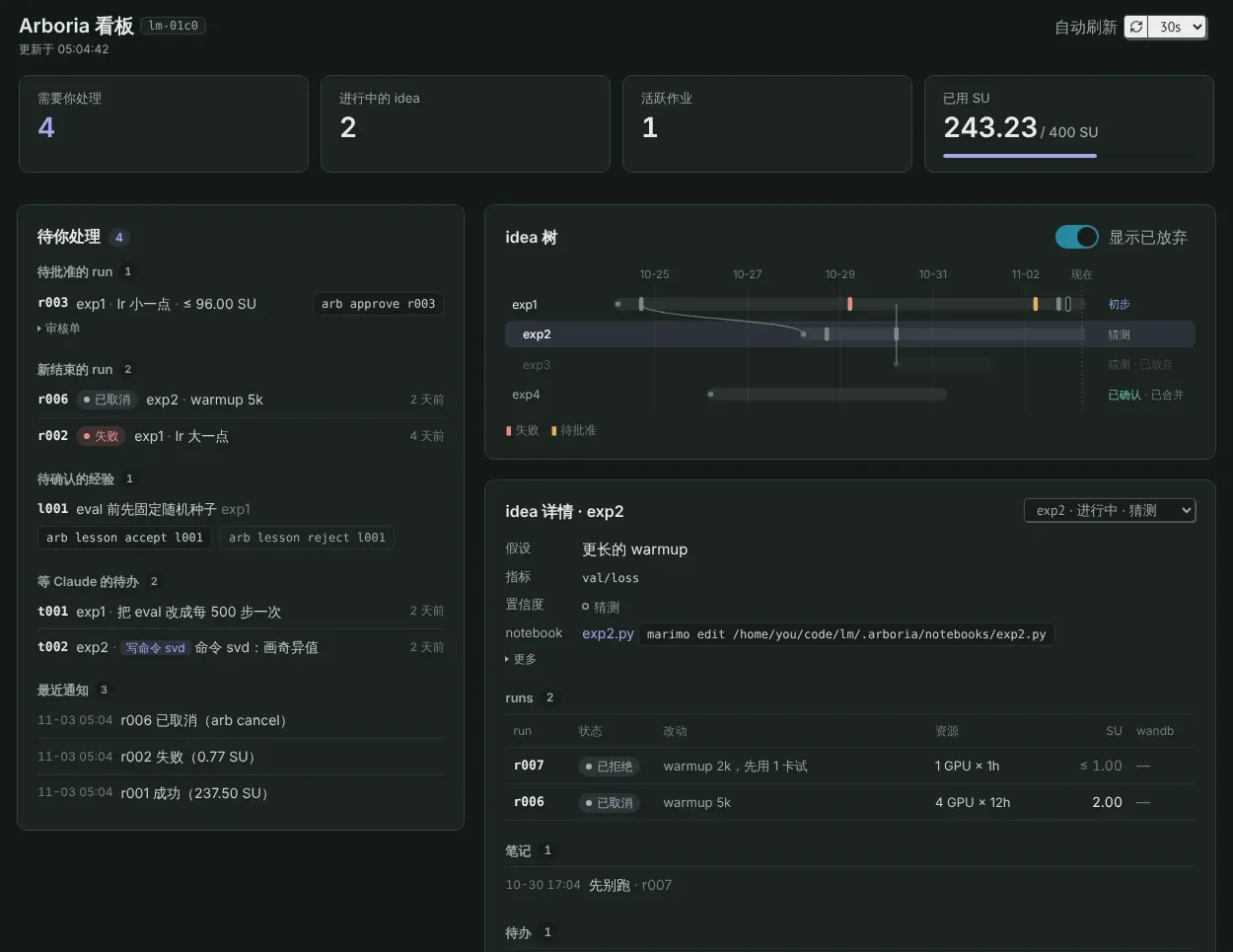
arb ui opens a read-only dashboard: what is waiting for you, how ideas branched over time, and where the compute went. No buttons that act; actions are shown as commands to copy.
Dashboard (Chinese) →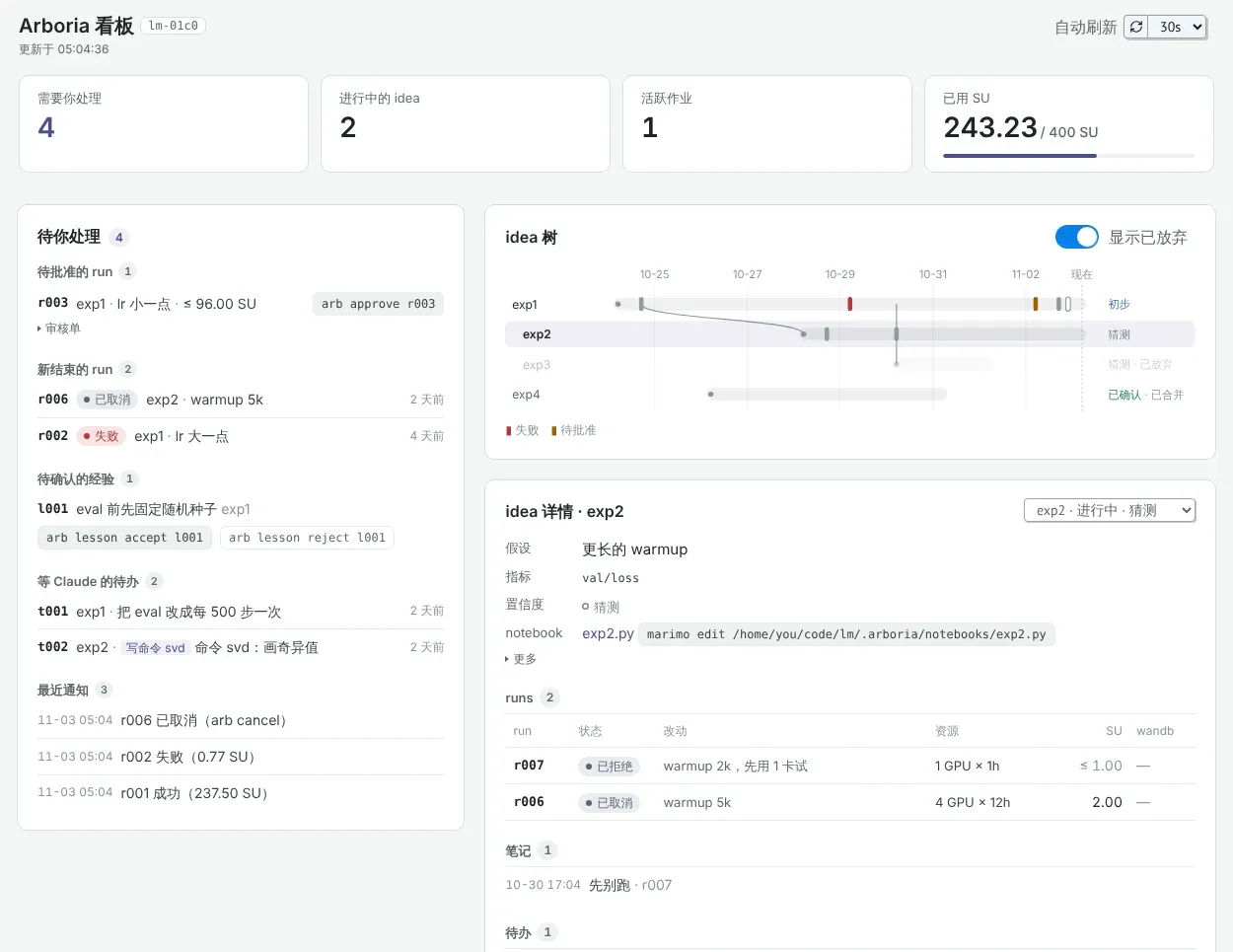
Approval
Only you approve
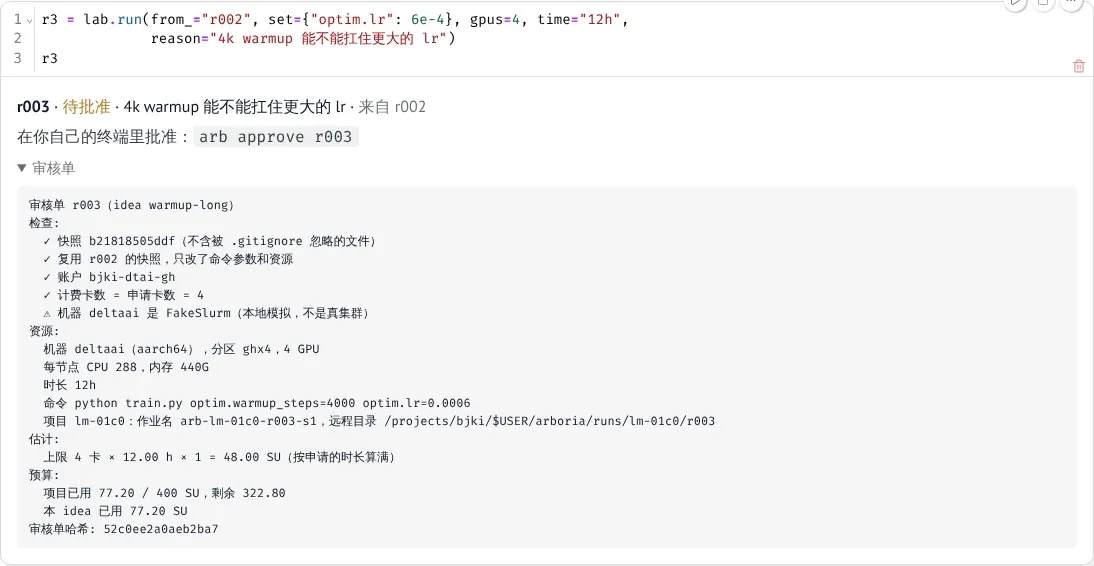
Claude and the notebook can only create review cards. A job reaches Slurm only from your own terminal, after you type the run id; if anything on the card changes, the old approval no longer counts.
Submitting and approving (Chinese) →Why
State lives outside the chat
Ideas, runs, notes and decisions live in a local SQLite ledger that only arb writes. A new session gets a one-screen summary from a hook.
The notebook is yours
Each idea has its own branch, worktree and marimo notebook. Claude can read it, not edit it; its work comes from the todos you leave.
Claude writes code and commands
Write lab.svd(r, "plot the top 20 singular values") in the notebook. If the command does not exist, Claude writes it and the cell re-runs.
The compute layer is wrapped
Segments, billing (with DeltaAI’s rules), budgets, Duo logins and early cancellation are handled by arb.
You approve every run
The review card is bound to a hash of snapshot, command, resources and environment. No code path approves on its own.
Guard rails, not a sandbox
They stop Claude from going along with a stray instruction, not a deliberate adversary running as you on the same machine.
Try it locally first
Install arb and create an idea and its notebook in any git repository. Before running on a cluster you need a machine profile. The documentation is in Chinese.